Product
Introducing Assisty Stock Alerts
A low-stock alert fires when a number you picked months ago is crossed. Stock Alerts asks a different question, and it is the one that decides whether you actually run out: does this product's stock last longer than its supplier takes to deliver?
The reorder point is a guess you have to maintain
Every low-stock feature works the same way. You pick a threshold per product, and when stock falls below it you get told. The number has to come from somewhere, so it comes from you, usually once, usually for the products you were thinking about that week.
Two things then happen. The catalog grows, and most of it never gets a threshold at all. And the thresholds that do exist go stale, because a number that was right when a product sold two a day is wrong when it sells six, and wrong again when the supplier that used to ship in ten days starts taking a month.
The threshold is also the wrong shape for the decision. Twenty units left is comfortable for a product you sell one of a day and restock in a week. The same twenty units is already too late for a product you sell four of a day and restock in three weeks. Stock on its own cannot tell you which of those you are looking at.
The comparison the app makes
Stock Alerts works from four numbers it reads for itself, per tracked variant: how many units are available, how many sold in the last 30 days net of refunds and cancellations, how many of those days the product had no stock to sell, and how long its supplier takes to deliver.
From the first three it works out a sales-per-day figure, and days with no stock are left out of it, so a product that was out of stock for three weeks is not treated as a slow seller. From that it gets runs out in: how many days the stock on hand lasts at that pace. Then it compares that against the lead time, plus a safety buffer, and gives the variant one of four statuses.
| Status | What it means | What it is telling you |
|---|---|---|
| Out of stock | Nothing available, and it has been selling | You are losing the sales now |
| Runs out before restock | Stock lasts fewer days than the supplier needs to deliver | Ordering today still leaves a gap; expedite or substitute |
| Reorder now | Stock covers the lead time, but not the lead time plus your buffer | Place the order this week and you are fine |
| Healthy | Stock outlasts the lead time and the buffer | Nothing to do |
Nothing here is a threshold you maintain. The sales pace comes from your orders, the lead time comes from the supplier, and both change the status on their own as they change.
Three and a half minutes of it working
The whole app, start to finish: the list, the four statuses, sorting, snoozing a product you have already ordered, and correcting a supplier's lead time from the row it bothered you on. There is no sound; the captions carry it.
One screen you can act from
The list opens on Needs action, sorted by how soon each product runs out, so the top of the screen is the order of the work. A banner counts the products whose stock will not last until a new order could arrive, which is the number worth knowing before anything else.
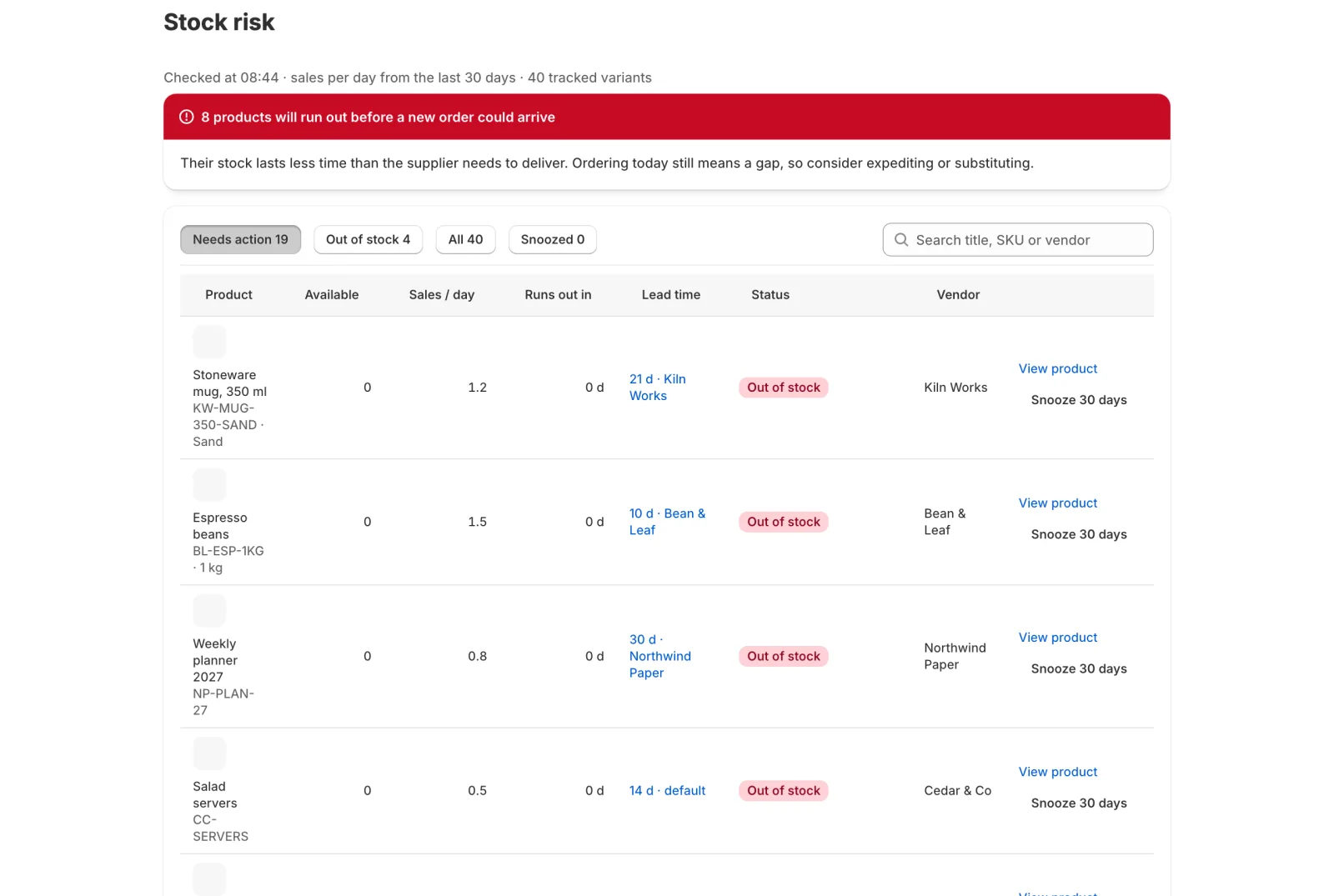
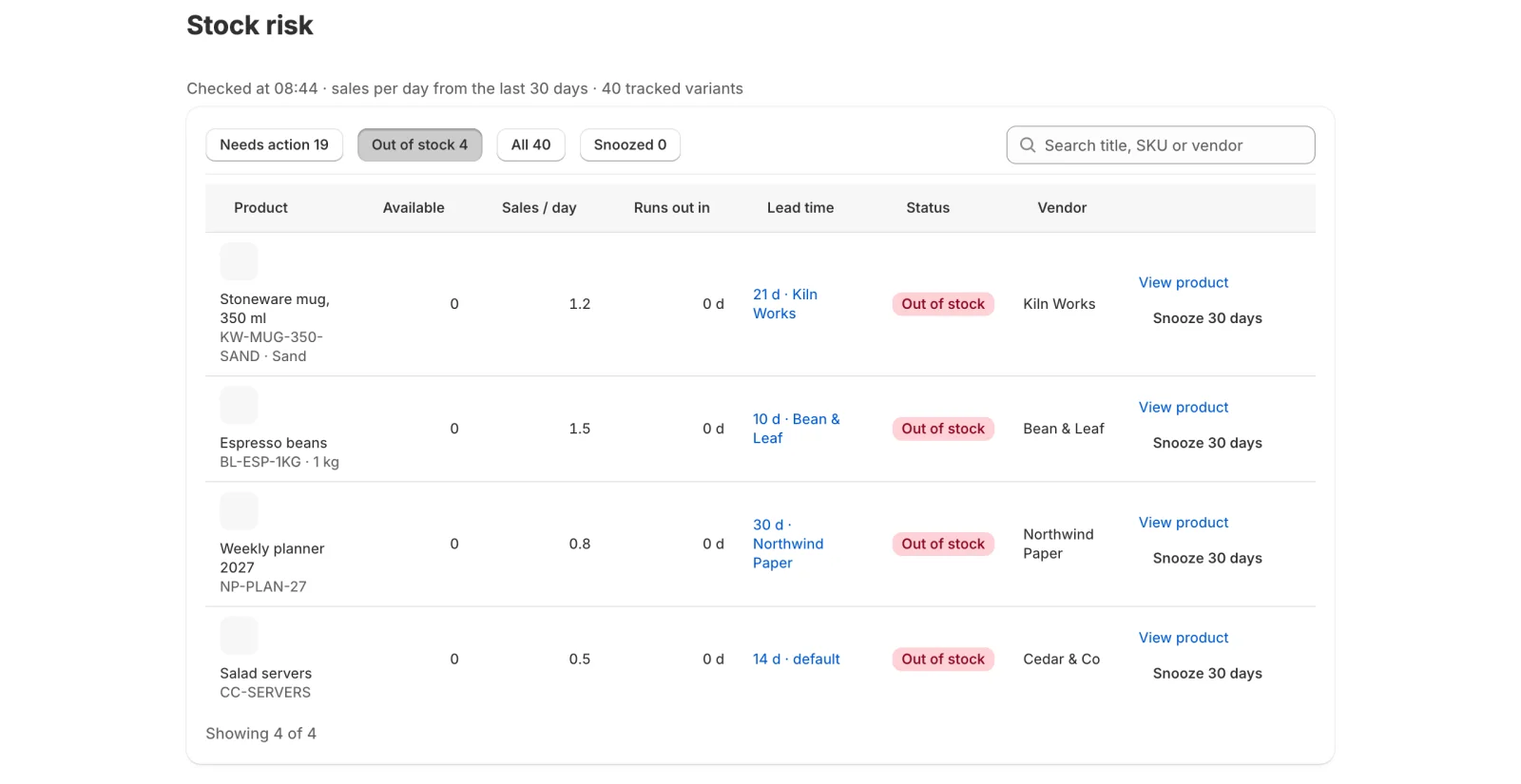
Every row carries the four things the judgement needs, side by side: units available, sales per day, runs out in, and the supplier's lead time. Six days of stock against a ten-day lead time is a problem you can see without opening anything else. The tabs count the whole store, not the page, so Out of stock is how many products are losing sales right now.
Doubt a number, fix it where you doubted it
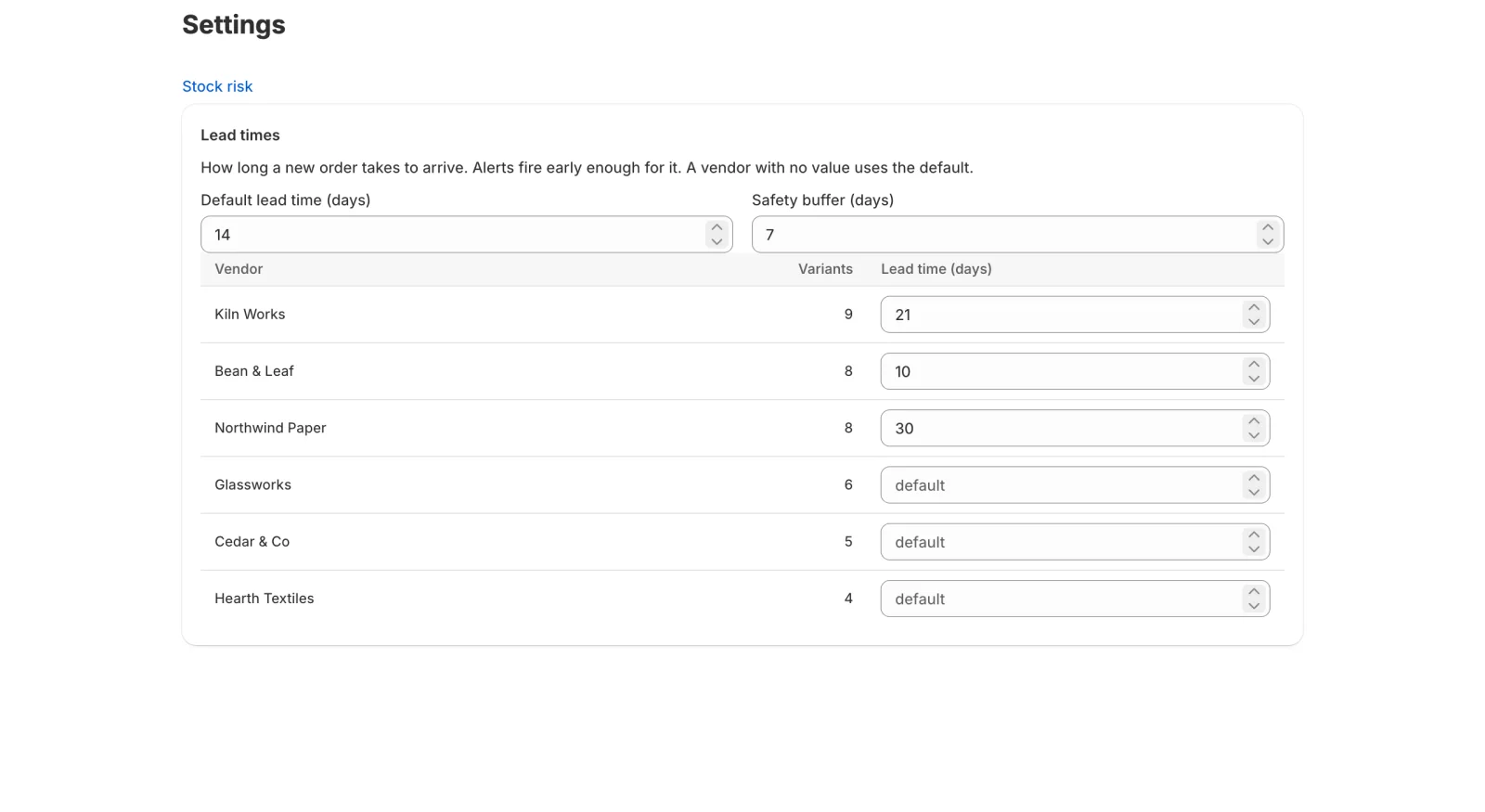
Lead times are the part of this that goes out of date, and they go out of date quietly. So the lead time in each row is a link. If a supplier has been slower than the default all quarter, you open it from the row that made you suspicious, change it, and save. Every product from that supplier is ranked again with the new number.
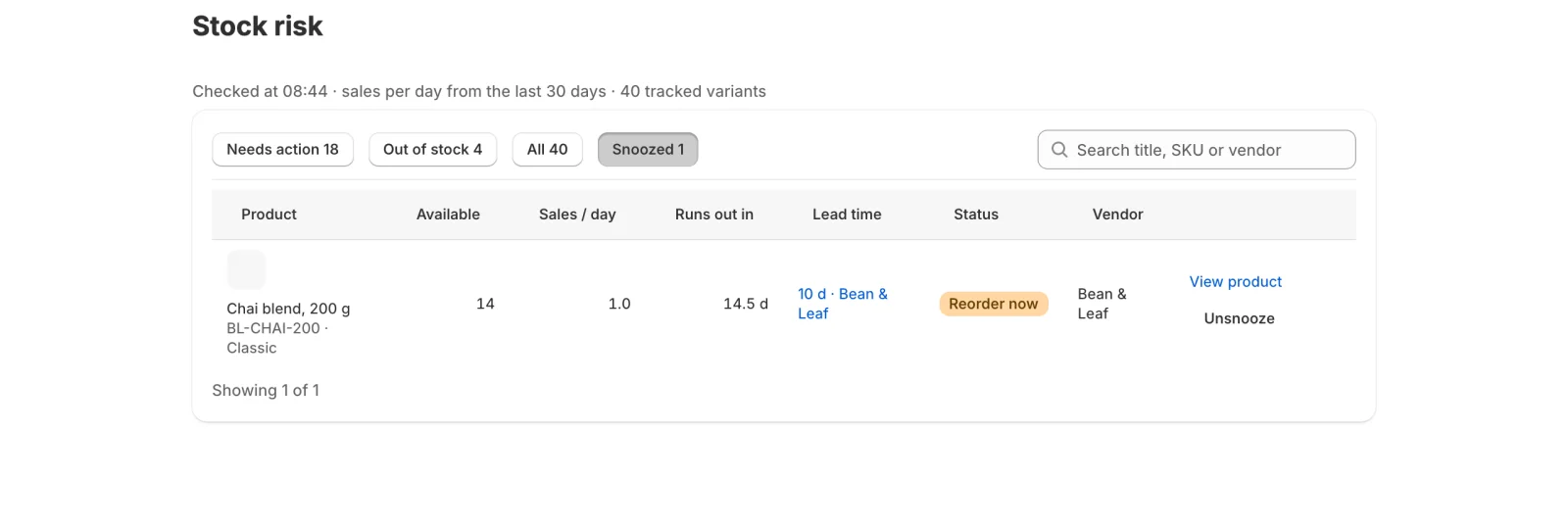
Already ordered something? Snooze it for 30 days and it leaves the list and the counts, so the list stays a list of things nobody has dealt with. If stock arrives before the 30 days are up, the snooze ends by itself and the product comes back with a fresh status. Nothing quietly disappears.
What you get
- Every tracked variant gets one status from your sales and lead times.
- Runs out in days, next to each supplier's lead time, on one screen.
- Correct a lead time from the row and the list updates in place.
- Snooze a product for 30 days; a restock brings it back.
- Free, no setup, no thresholds to maintain.
Two numbers of setup, and nothing per product
There is no onboarding form. On install the app reads your catalog, your inventory levels and the last 60 days of paid orders, and the first list is ready in about two minutes. The only things it asks for are a default lead time and a safety buffer, and you override a supplier's lead time only where it differs from that default.
After that it keeps itself current. Every night it re-checks every tracked variant, and an inventory change re-checks that one variant immediately, so a product that sells out during the day does not wait until tomorrow to say so.
What it reads, and what it never reads
Four read-only permissions: products, locations, inventory and orders. From orders it reads line items, which is quantity, SKU and date. It does not ask for and does not store a customer's name, address or contact details, because working out how fast something sells needs none of them.
Where it sits next to Assisty
Stock Alerts is deliberately small. It answers one question and stops, and it is free. If the answer is yes, order something, the work that follows lives in Assisty proper: demand forecasts at the variant, suggested quantities in the Smart Buying Table, and purchase orders sent to suppliers and received against.
Use them together, or use Stock Alerts on its own as the thing that tells you when to look.